
Booking Africa Online "ATPI BAO"
Complete Documentation and User Manual
Login Page
Access the Online Booking Tool through the corporate portal
Access Steps
{full email address}
{*********}

Click to view larger image
(600x400px)Plan Your Travel
Begin your trip planning process from the main menu
To begin your trip, go to "Plan Your Travel" menu on the landing page and select a service from the drop-down menu.
Available Services
Hotels
Accommodation bookingFlights
Flight reservationsCharter
Private flightsTransfer
Ground transport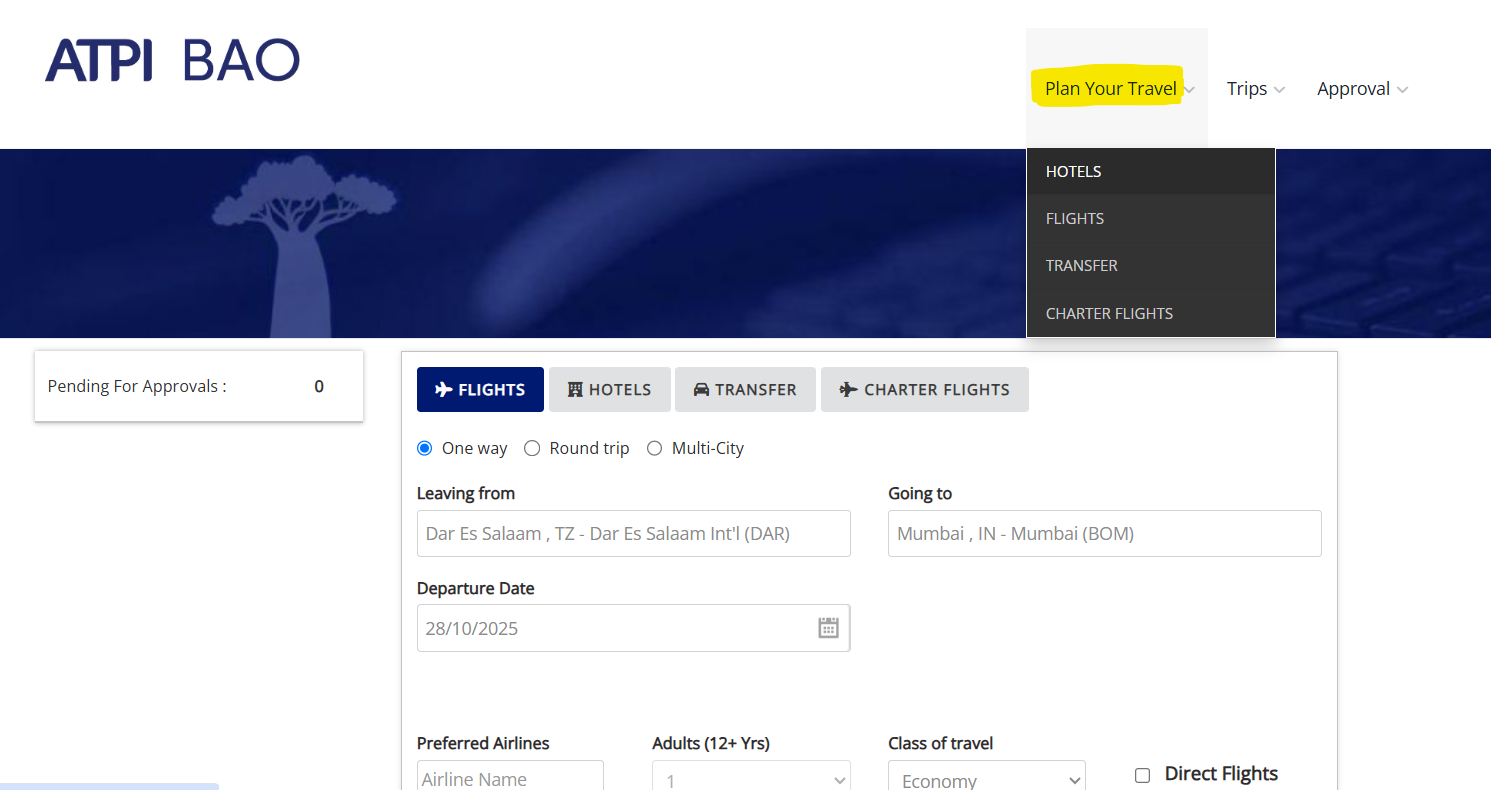
Click to view larger image
(600x400px)Flight Booking
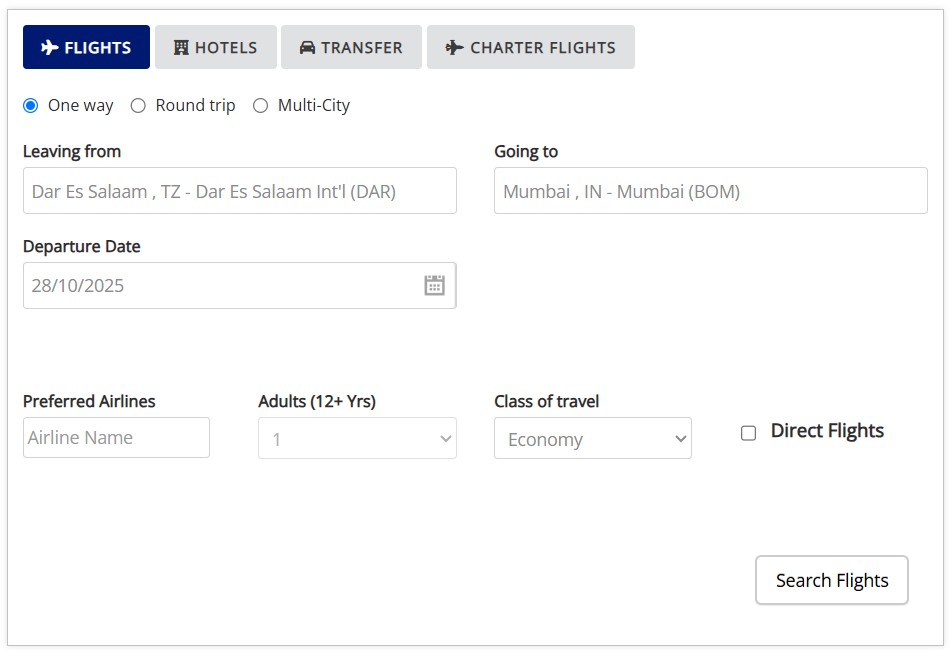
Search and book flights with real-time availability
Booking Process
Travel Preferences
- Departure/Return Date
- Trip Type
- Preferred Airline
- Direct Flight Option
- Number of Travelers
- Class of Travel
Click to view larger image
(400x500px)New Trip
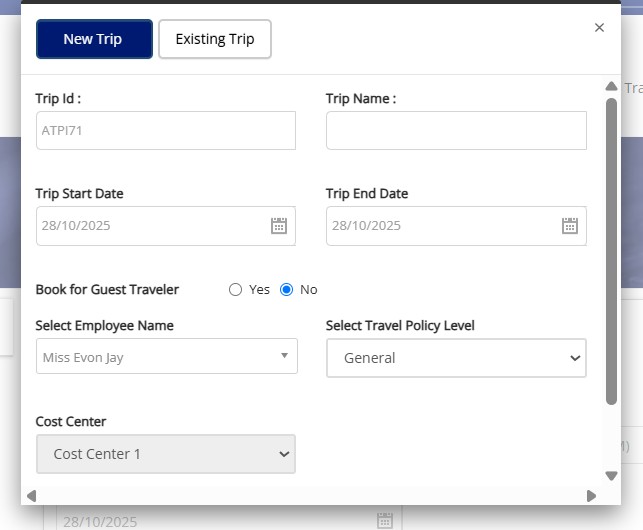
Create a new travel request for your booking
After you click on Flight Search, a pop-up window will appear for you to either create a new travel request or proceed with an existing one.
Creating a New Trip
BAO##### will be automatically generated
Click to view larger image
(400x350px)Existing Trip
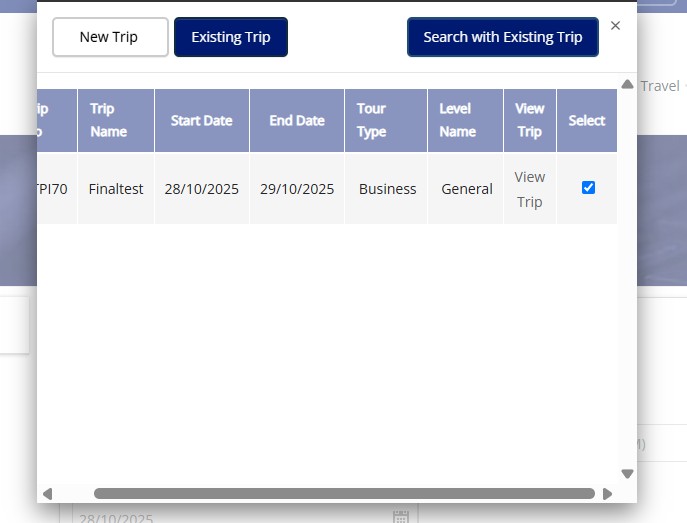
Continue working with previously created travel requests
Select "Existing Trip" to view previously created travel requests and add services/items like a shopping cart.
Working with Existing Trips
- Each trip holds multiple services (flights, hotels, transfers, charters)
- Select an existing trip by clicking the checkmark
- Click Search with Existing
Click to view larger image
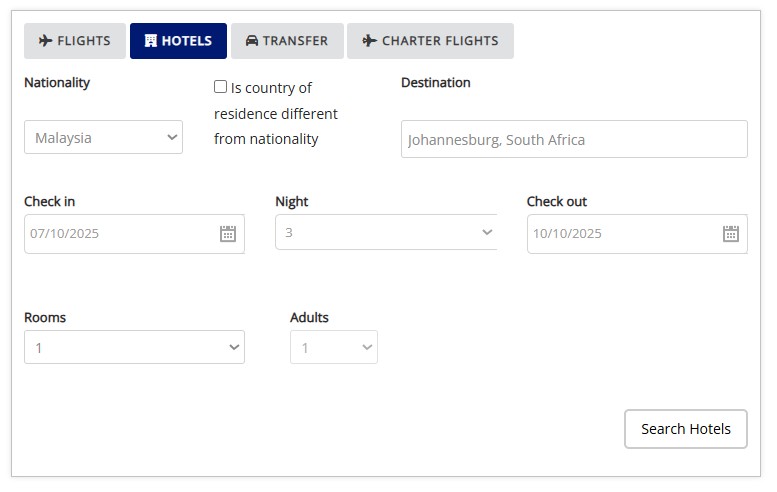
(400x350px)Hotel Booking
Search and book accommodations for your trip
Booking Process
Required Information
- Nationality
- Country of Residence
- Destination City
- Check-in Date
- Number of Nights
- Rooms / Adults
Click to view larger image
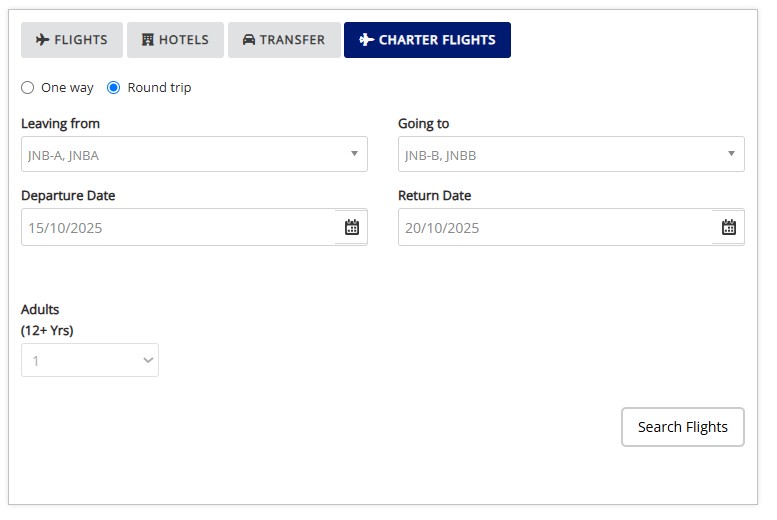
(400x500px)Charter Booking
Book private charter flights for your travel needs
Booking Process
Required Information
- Departure City
- Destination City
- Departure/Return Date
- Number of Passengers
- Trip Type
- Class of Travel
Click to view larger image
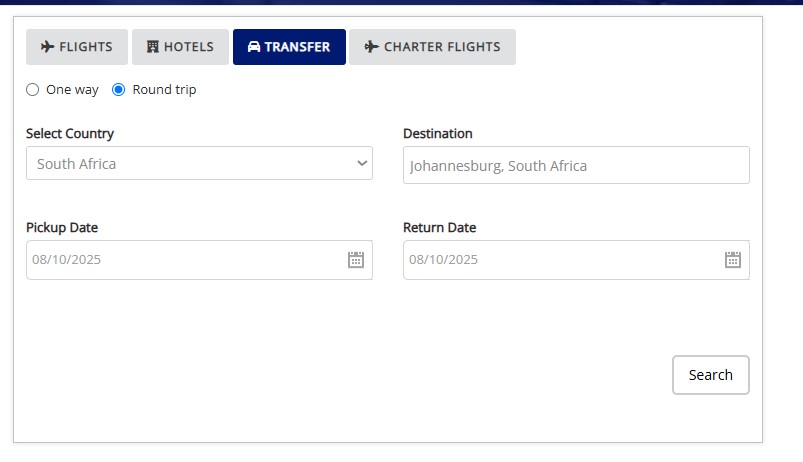
(400x500px)Transfer Booking
Book ground transportation for your travel
Booking Process
Required Information
- Pickup Location
- Drop-off Location
- Date & Time
- Number of Passengers
- Vehicle Type
- Trip Type
Click to view larger image
(400x500px)View Trip & Results
Examine your trip details and search results
Results Page Features
- Live availability results for flights
- Filter results using Search Filter (left panel)
- Sort by: Airline, Time, Duration, Price
- Add items using Save to Trip
- Email itinerary to up to 5 contacts
View Trip Features
- Examine choices and itinerary
- Make adjustments to bookings
- Consolidate flights
- Send for approval
- Generate invoice
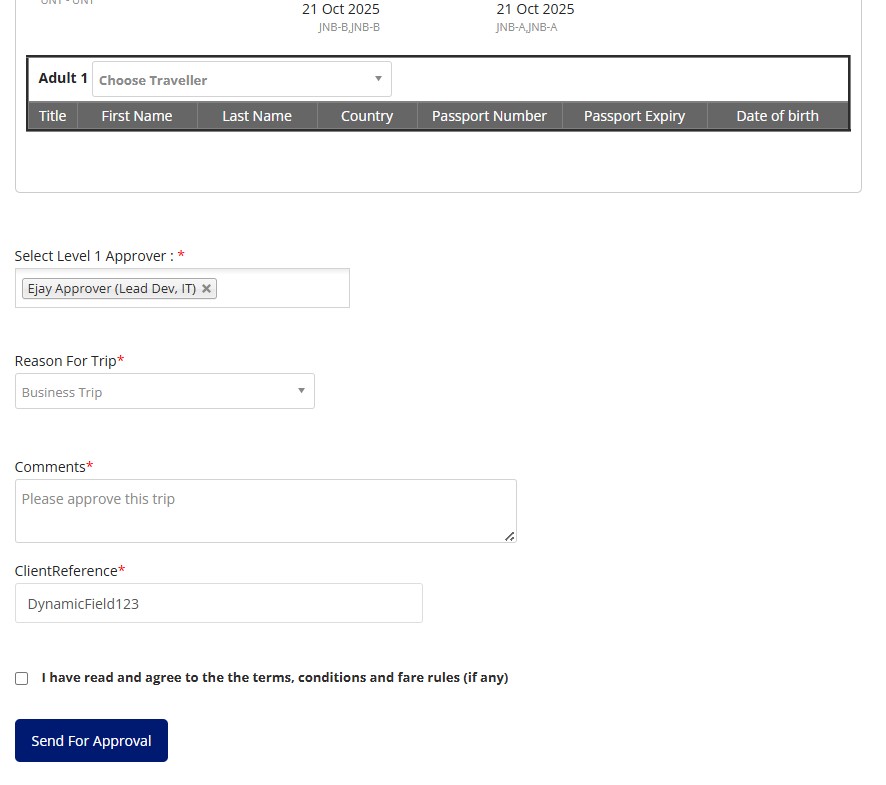
Send for Approval
Submit your trip for management approval
To send your trip for approval, ensure all details are correct and click on the "Send for Approval" button.
Approval Process
Click to view larger image
(400x300px)Pending Approval
Review and approve trips submitted for your approval
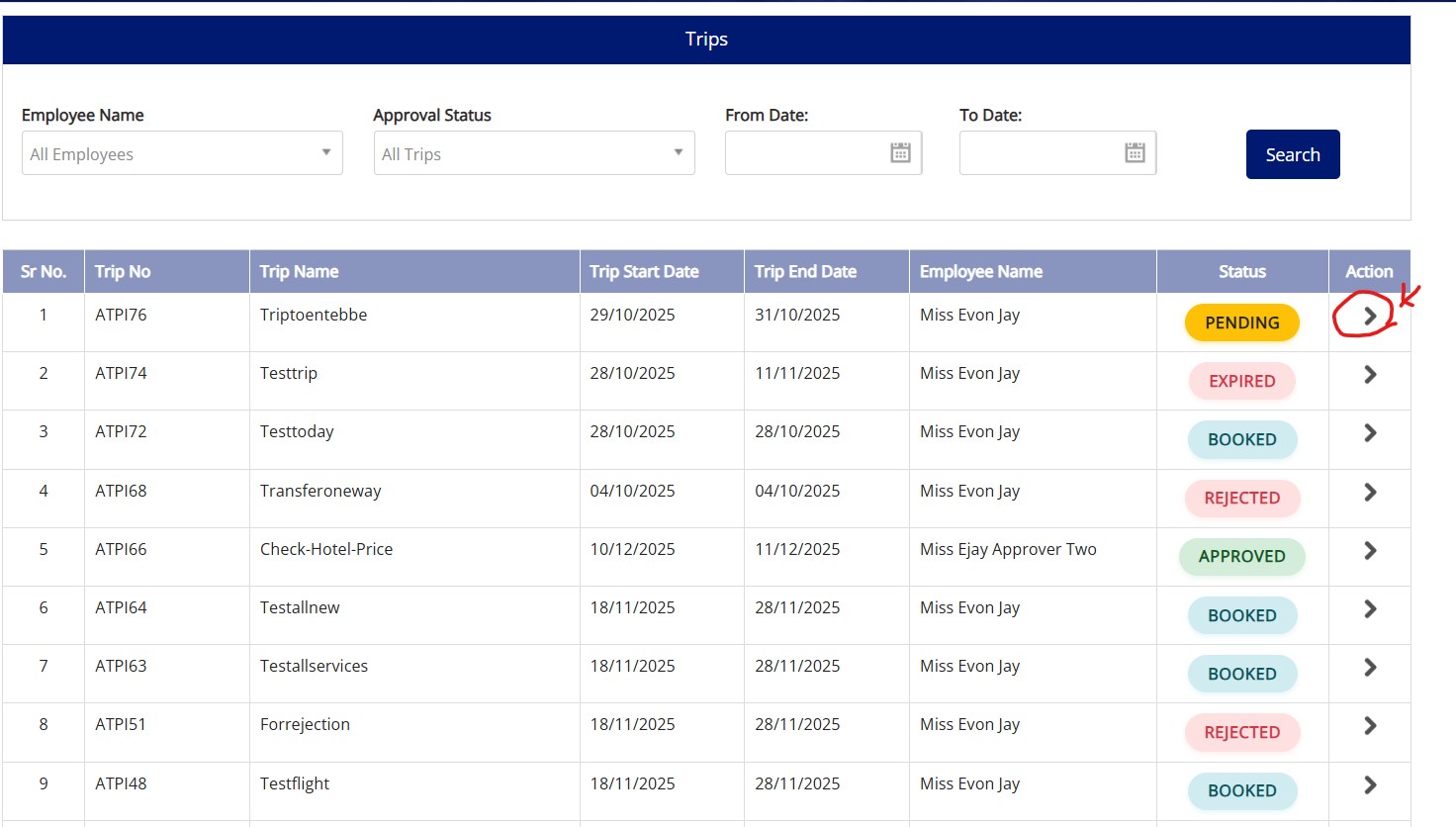
This section shows all trips awaiting YOUR approval. Only users with the approval role will be able to see and access this section.
Pending Approval Features
- View all trips awaiting YOUR approval
- Review trip details and itinerary
- Approve trips sent for your approval
- Reject trips with comments or reasons
- Track approval status in real-time
Click to view larger image
(400x300px)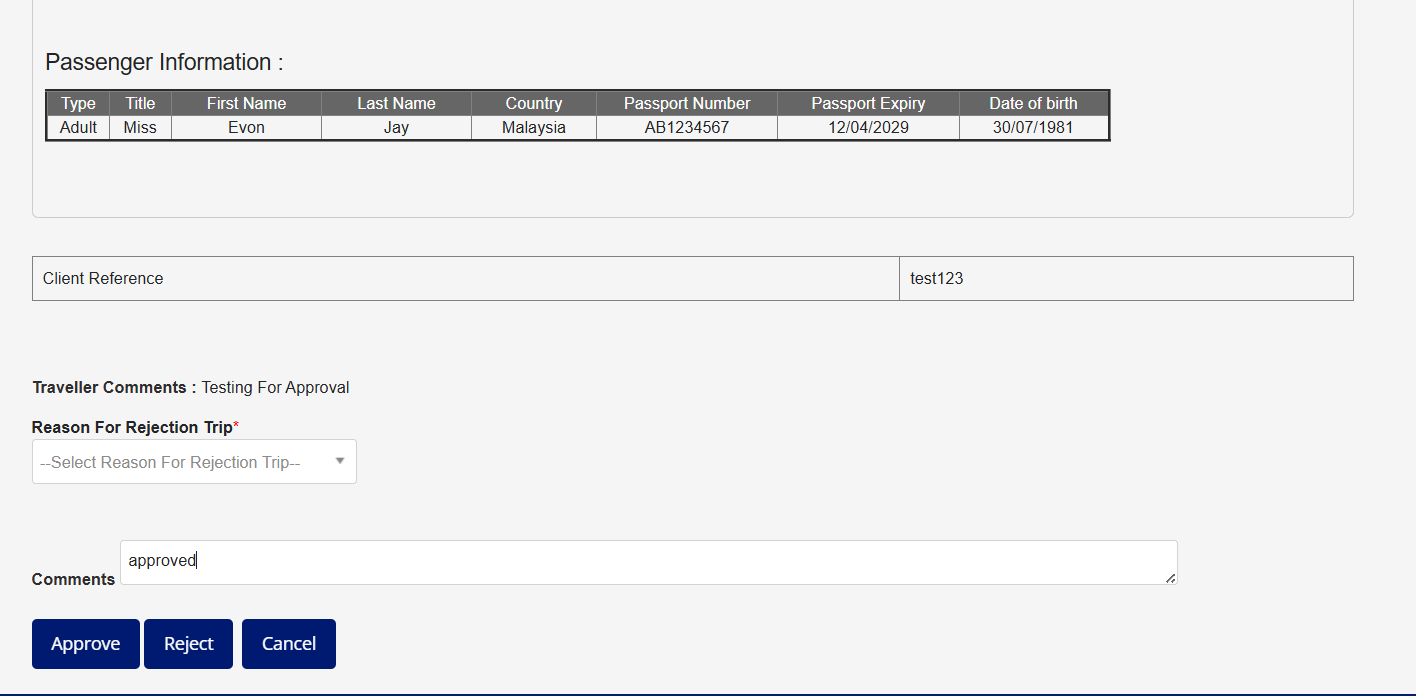
Click to view larger image
(400x300px)Admin Page
Administrative functions for user and system management
Admin page for managing users, roles, and permissions.
Important Notes
Key information and best practices for using the system
System Guidelines
- Always review trip details before sending for approval
- Use existing trips to consolidate multiple services
- Check pending approvals regularly
- Keep your login credentials secure
- Contact support for technical issues
Contact Information
Support Channels
- Contact your Travel Account Manager / Reservation Team